How to get Wi-Fi CSI data from a GL-MT6000 router (256 subcarriers, no extra hardware)
By Wu Jun · Updated 2026-11-02 · 6 min read
This is the full reproduction route for a GL-MT6000 (MT7986) router: 80 MHz, 256 subcarriers, no extra NICs. Every step below was executed on real hardware — including the failures.
Every performance number here is a reproducible first-party measurement (grade E) — the raw capture, scripts and SHA-256 are published [1] [2]. The mt76 driver and its CSI patch come from the upstream open-source repository [3].
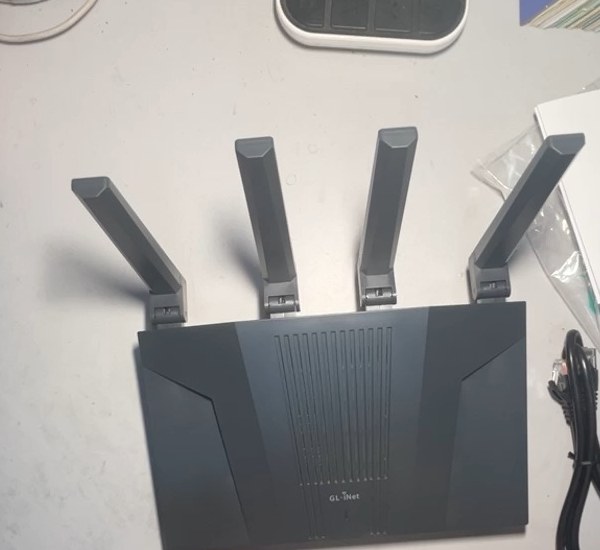
The actual GL-MT6000 used for these measurements.
Results first
| Item | Measured |
|---|---|
| Hardware | GL.iNet GL-MT6000 (MT7986A + MT7976) |
| OS | OpenWrt SNAPSHOT, Linux 6.18 |
| Wi-Fi firmware | mt7986_wm.bin 2026-05-15, MD5 3ce21eda…98019 |
| Capture interface | dedicated AP iface (csi0), 5 GHz / HE80 / ch44 |
| Short run | 561 chain records / 10 s (55 records/s) |
| Long run | 57,293 chain records / 10 min (95.5 records/s), no >5 s gap |
| Per measurement | 256 subcarriers, 8 chains (tx 0/1 × rx 0/1/2/3) |
| Independent snapshots | 7,609 closed groups, about 12.68 measurements/s; 7,583 remain after anomaly filtering (12.64/s) |
Requirements and risk
⚠️ Flashing has risk. GL-MT6000 has a U-Boot recovery path, but rehearse the rollback first and keep the stock firmware plus a config backup. Research use only.
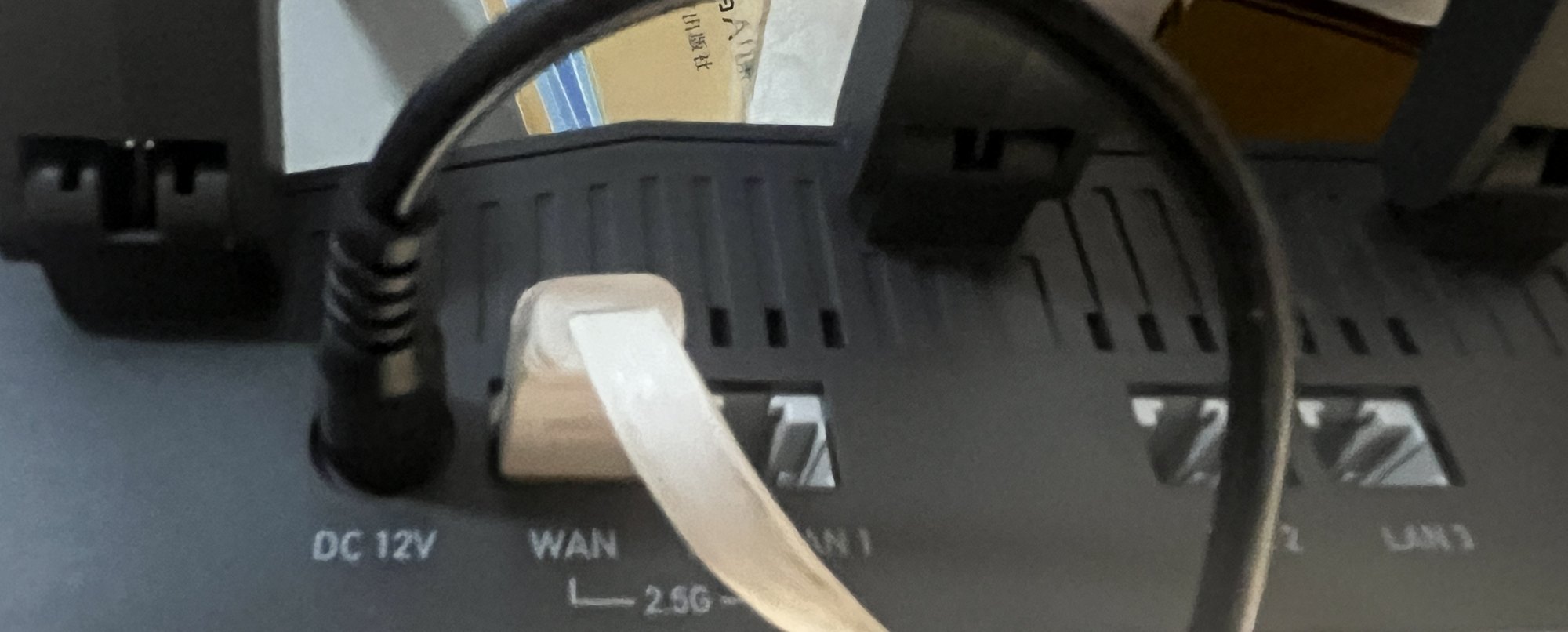
Rear panel: DC 12 V input, 2.5 GbE WAN and LAN1–LAN3.
Prepare a rollback-capable lab session
Do not begin with Wi-Fi. Begin with a way back to the stock system. Keep the vendor image, its separately downloaded checksum, the generated OpenWrt sysupgrade image and a copy of the current configuration in one local directory. Label each file; two binaries with similar names are not an evidence trail.
Use a wired computer whose route to the router can be selected explicitly. A common failure during recovery is a
laptop that still has Wi-Fi on 192.168.1.0/24: the browser appears to open the U-Boot page, but the request leaves
through the wrong interface. Temporarily disable that Wi-Fi route or bind the recovery command to the Ethernet NIC.
For this project the management subnet was moved away from the upstream LAN after first boot, and the U-Boot
recovery page was rehearsed before any firmware upload.
Record four values before the flash:
- the GL-MT6000 board identifier reported by the image;
- the SHA-256 of the sysupgrade container;
- the locally recomputed SHA-256 of the stock rollback image;
- the expected
mt7986_wm.binbuild identifier.
The exact commands and rejection rules are in the six-point firmware preflight. If any value is missing, stop; a successful boot does not compensate for an unidentified image.
Build notes (mt76 CSI patch)
CSI needs three parts together:
| Component | Role |
|---|---|
9000-mt7915-csi-implement-csi-support.patch |
CSI control + reporting in the mt76 driver (nl80211 vendor cmd + debugfs) |
mt76-vendor |
issue CSI commands (enable, MAC filter, frame type) |
mt76-csi-daemon (+ LuCI page) |
continuous capture, UDP/ubus/REST output, visualisation |
All three are built on top of OpenWrt's open-source mt76 driver [3].
Before flashing any image, follow the six-point pre-flight audit: board identifier, sysupgrade hash, stock rollback hash, Wi-Fi firmware, CSI kernel symbols and userspace autostart.
Firmware version matters. On MT7986 you need the 2026-05-15 Wi-Fi firmware — with older builds the CSI reporting path has no caller, which looks like "enable succeeds but no data ever arrives".
# on the router
md5sum /lib/firmware/mediatek/mt7986_wm.bin   # expect 3ce21edabe201608e7bec0dd16898019
dmesg | grep -i "WM Firmware"                 # expect Build Time: 20260515…
Enabling CSI (the step everyone gets wrong)
Two conditions must hold at the same time, otherwise nothing is ever captured:
# 1) frame-type filter — without it the firmware reports nothing
mt76-vendor <iface> set csi ctrl=1,0,0,34

# 2) add the target station MAC (only filtered stations are reported)
mt76-vendor <iface> set csi ctrl=1,0,0,0 macaddr=<client-mac>

# verify
cat /sys/kernel/debug/ieee80211/phy1/mt76/csi_stats
Notes: the first argument is the interface name (e.g. csi0), not the phy name; CSI is a receive-side
measurement, so the client must keep generating traffic; use a dedicated AP interface so your normal Wi-Fi stays clean.
First boot: change one layer at a time
After flashing, connect through Ethernet and finish only the minimum system work: confirm the image boots, set a non-conflicting management subnet, create one test AP interface, and verify that the intended client can associate. Do not migrate the previous router configuration wholesale. Wireless, firewall and interface names from another system make it difficult to tell whether a later failure belongs to the CSI path or to restored state.
When the AP path works, enable CSI on the dedicated interface and watch both sides of the transfer:
# capture host
tcpdump -ni any udp port 8888

# router
cat /sys/kernel/debug/ieee80211/phy1/mt76/csi_stats
Run a 10-second capture before a long one. A non-empty file is not enough: check that records are increasing, that subcarriers and chains match the configured mode, and that a real transaction is producing receive traffic. Stop and fix the first failing layer rather than extending the run.
UDP record format
Host byte order (little endian on the target):
| Offset | Field | Notes |
|---|---|---|
| 0 | ts uint32 |
microsecond timestamp (600 s measured as 599,931,160 µs) |
| 4 | ta[6] |
transmitter MAC |
| 10 | rssi int8 |
dBm |
| 11 | snr uint8 |
dB |
| 12–15 | data_bw, pri_ch_idx, rx_mode, pad |
|
| 16 | data_num uint16 |
subcarriers (256 in this project) |
| 18–19 | tx_idx (uint16) |
transmit chain index |
| 20–21 | rx_idx (uint16) |
receive chain index |
| 22–23 | chain_info (uint16) |
bit15 = last chain of this measurement |
| 24… | int16 I/Q pairs | 4 bytes per subcarrier |
Validate and stabilise
scripts/csi_capture_session.sh 10     # quick check
scripts/csi_capture_session.sh 600    # 10-minute stability run
Pass criteria used here: stable frame rate, no >5 s gaps, complete chains, flat daemon RSS (~5.2 MB) — verified against the 57,293-record capture [1].
Read failures in the right order
| Symptom | Check first | What not to conclude |
|---|---|---|
CSI enable: 1, but no file grows |
client traffic, MAC filter, frame-type filter, then firmware version | “the patch compiled but CSI is broken” |
| UDP packets arrive, but records look malformed | capture command, UDP port, container header and payload length | “the radio reports random I/Q” |
| Records exist, but groups are incomplete | chain_info bit 15, chain composition and tail handling |
“every record is an independent 256-bin snapshot” |
| Data is valid, but a long capture has a 2-second gap | timestamp order, client sleep, channel activity and daemon health | “the gap proves network packet loss” |
| Wi-Fi throughput drops while CSI runs | SSID/radio layout, vow_atf, negotiated width and client behaviour |
“CSI inevitably costs this much throughput” |
This ordering matters because “no data”, “invalid data” and “sparse data” require different experiments. The browser capture quality checker performs the container-level checks locally, without uploading a capture. It can reject a malformed stream, but it cannot prove what a person was doing during the recording.
The five must-know pitfalls
- Missing frame-type filter → zero data (most common);
- Missing MAC filter → nothing, or the wrong device;
- Wrong firmware version → enable succeeds, no reports;
- CSI interfering with your normal SSID → Wi-Fi suddenly slow (see the troubleshooting article);
- Testing against a public server → not reproducible; use a LAN traffic source.
Next
- Exclusive troubleshooting: why Wi-Fi slows down after enabling CSI
- Tools and the 10-minute dataset: tools
- Lab log: what we ran and what failed
- Dataset parsing walkthrough: eight parts to a heatmap
References and data sources
Every external claim carries a source and an evidence grade (grading scheme). Grade E marks first-party, reproducible measurements from this project.
- Grade E · first-party measurement
This project's 10-minute raw capture (57,293 records / 600.0 s, SHA-256 00373f83…95e2)
Router CSI Lab · 2026
okwujun.pw/en/datasets/ · verified: Reassembled chunks verified byte-identical (2026-10-11) · The local raw master has SHA-256 00373f83…95e2; the public de-identified derivative has SHA-256 527466ce…a440. They must not be confused. - Grade E · first-party measurement
Router CSI Toolkit — capture/analysis/watchdog scripts (MIT, public repository)
Router CSI Lab · 2026
github.com/jjjwu/router-csi-toolkit · verified: GitHub API verified the public repository, capture-quality preflight, successful CI and the v0.1.3 release on 2026-11-02; the archive SHA-256 is 59f144c0…adea7 · The public repository includes a dependency-free capture preflight; the browser checker uses the same container definition and evidence boundaries. - Grade C · official docs
openwrt/mt76 — mac80211 driver for MediaTek Wi-Fi chipsets
OpenWrt project / MediaTek
github.com/openwrt/mt76 · verified: GitHub API 2026-10-11 (stars 890, last push 2026-10-08) · Upstream of the open-source mt76 driver used here; the CSI patch is applied on top of this codebase.